Learn JalDrishti in minutes
Short videos and written steps for every feature, from your first scan to booking an expert. Every guide works on Android and iPhone.
The video for this step is being recorded. Follow the written steps, or see the playlist.
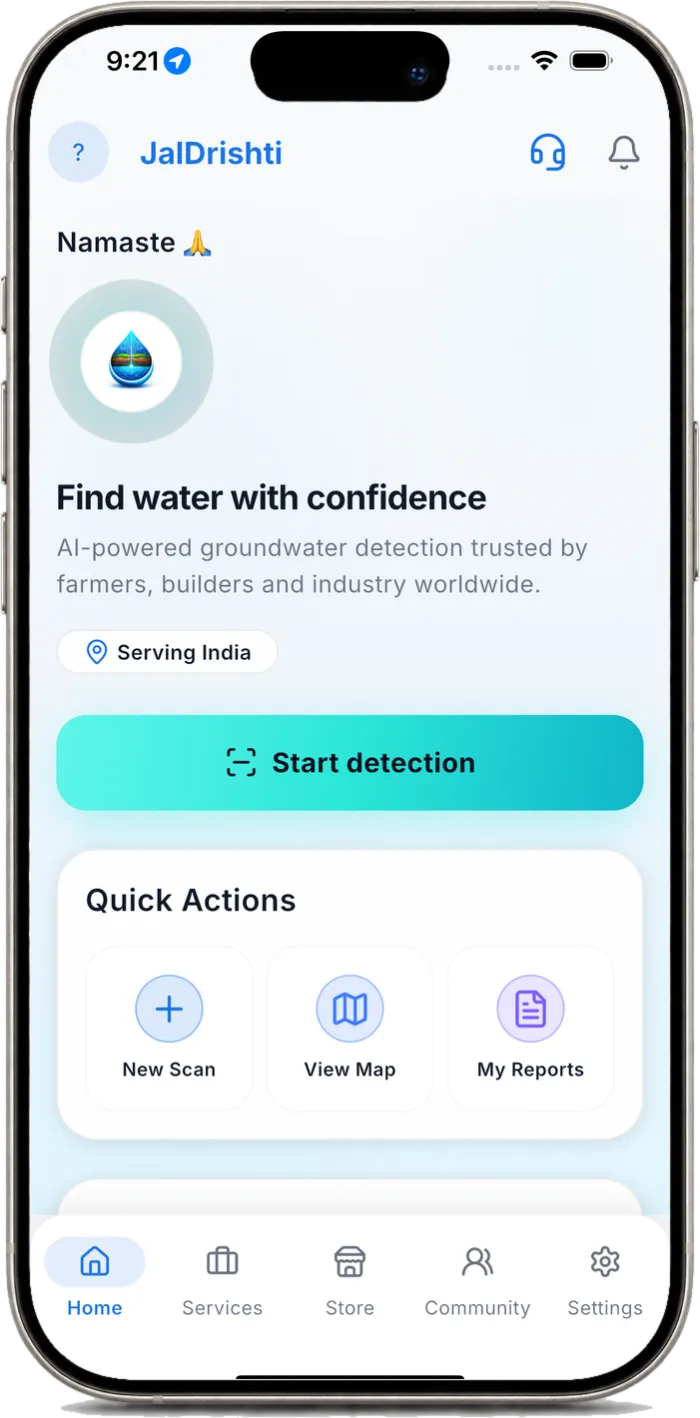
Getting started: install, choose your language and sign in
Install JalDrishti free, pick one of 33 languages and sign in with Google, Apple or as a guest.
- Install JalDrishti from Google Play or the App Store.
- Choose your language on first launch (you can change it later in Settings).
- Sign in with Google or Apple, or continue as a guest.
- Allow location only if you want the map to start at your position.
The video for this step is being recorded. Follow the written steps, or see the playlist.
Run your first groundwater scan
Drop a pin or use GPS, choose a scan radius and start the AI analysis.
- Tap Start detection on the home screen.
- Search a place, tap the map or use GPS to drop the scan centre.
- Choose Radius mode and set the scan radius.
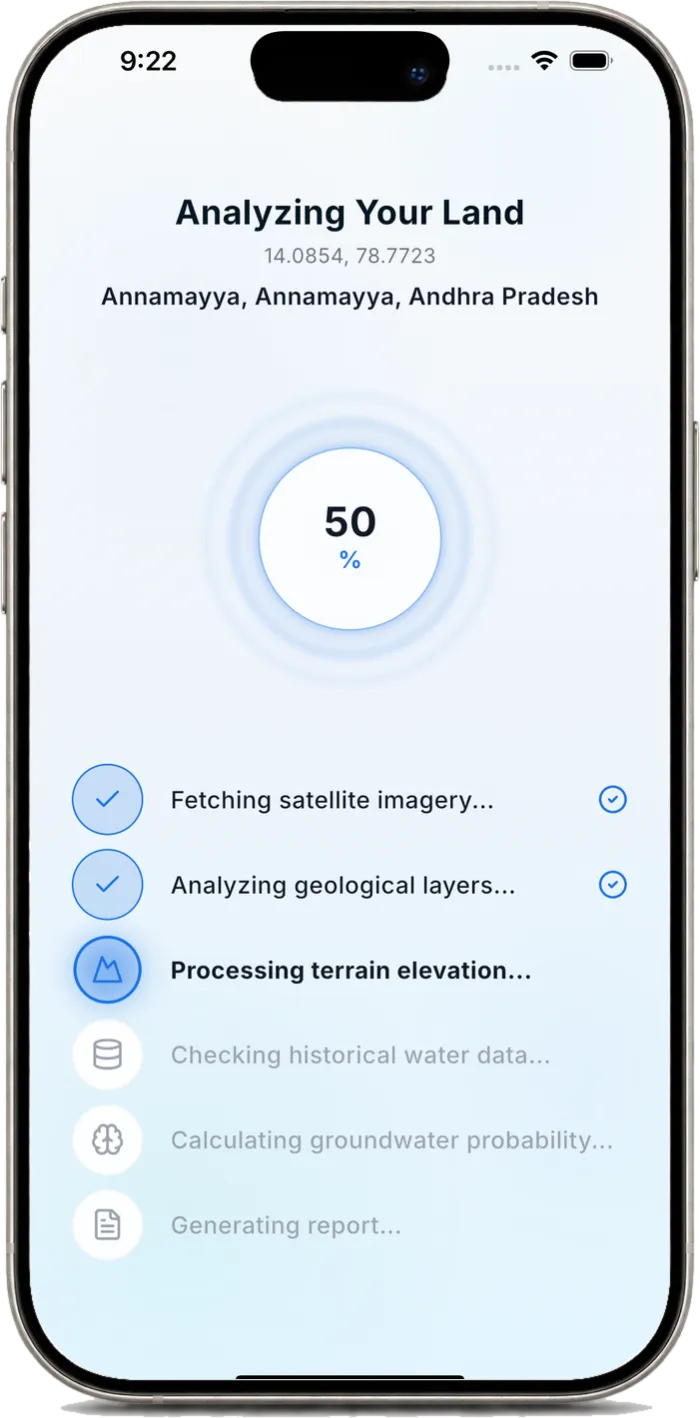
- Tap Start Scan and wait about 30 seconds while satellite, geology and terrain data are analysed.
Draw your field boundary (polygon scan)
Scan exactly your plot by tapping its corners on the map.
- Choose Draw Field mode.
- Tap each corner of your land; place at least 3 points.
- Check the area shown in acres, then tap Finish Drawing.
- Tap Start Scan to analyse the whole field.
The video for this step is being recorded. Follow the written steps, or see the playlist.
Read your groundwater report
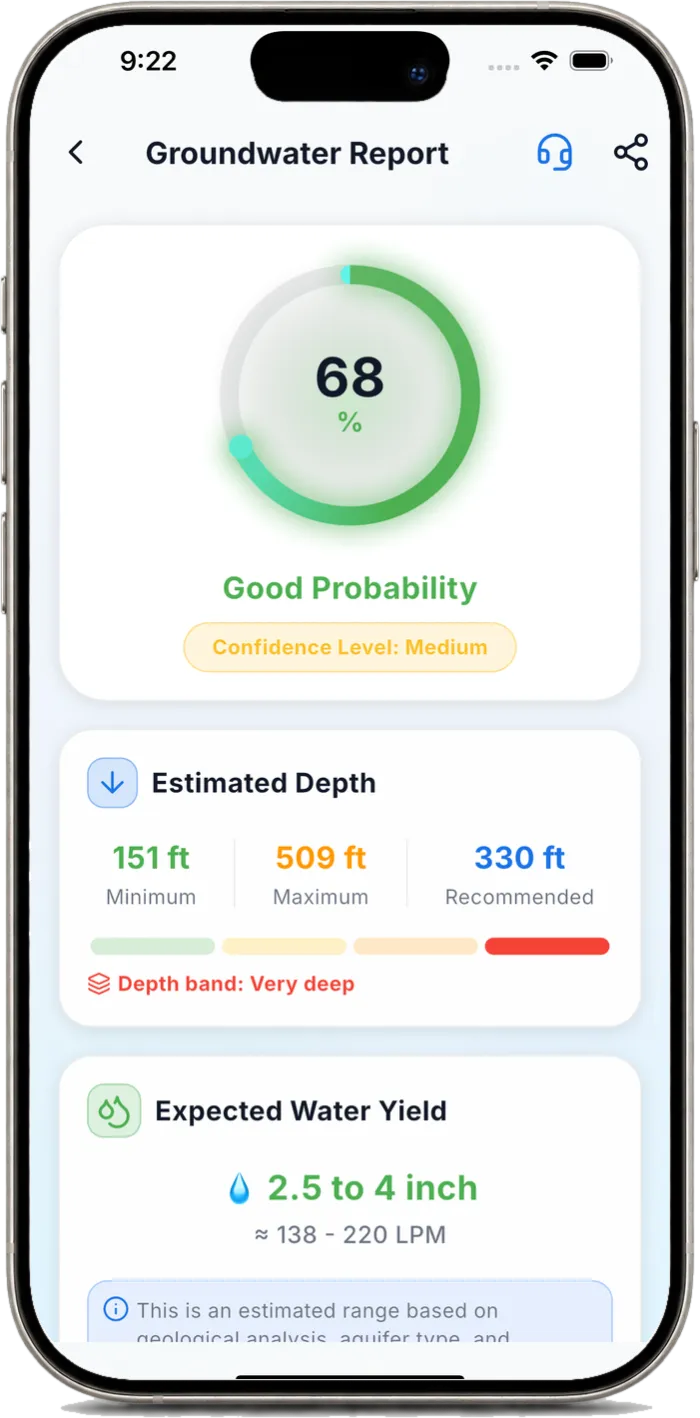
Understand the probability score, depth band, expected yield, water quality and geology.
- The circle shows groundwater probability and the confidence level.
- Estimated Depth gives minimum, maximum and recommended drilling depth.
- Expected Water Yield shows the likely yield in inches and litres per minute.
- Scroll for water quality, geology and terrain analysis.
The video for this step is being recorded. Follow the written steps, or see the playlist.
Find the recommended drill point and walk to it
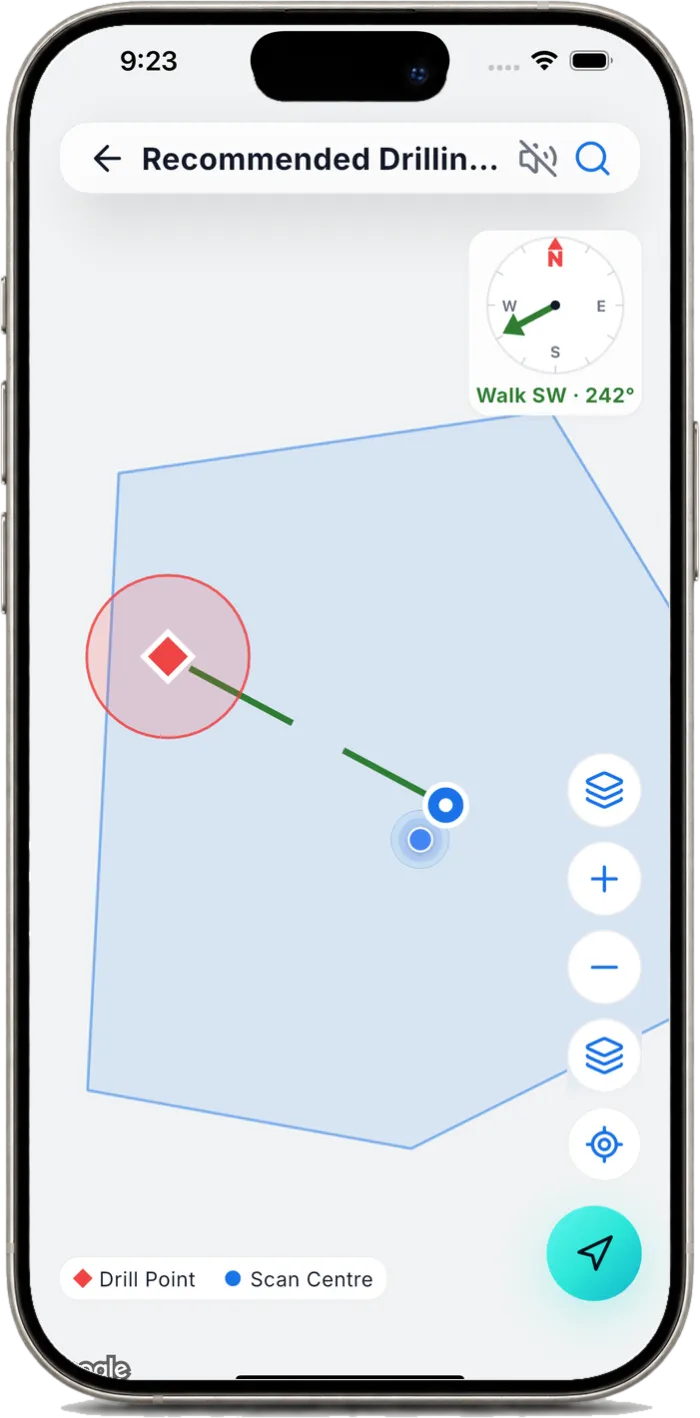
Follow the survey guidance and the live compass to the best drilling spot.
- Open Survey Guidance in your report.
- Tap the recommended drill point to open the map.
- Walk in the direction shown; the distance counts down as you approach.
- Mark the spot for your driller or surveyor.
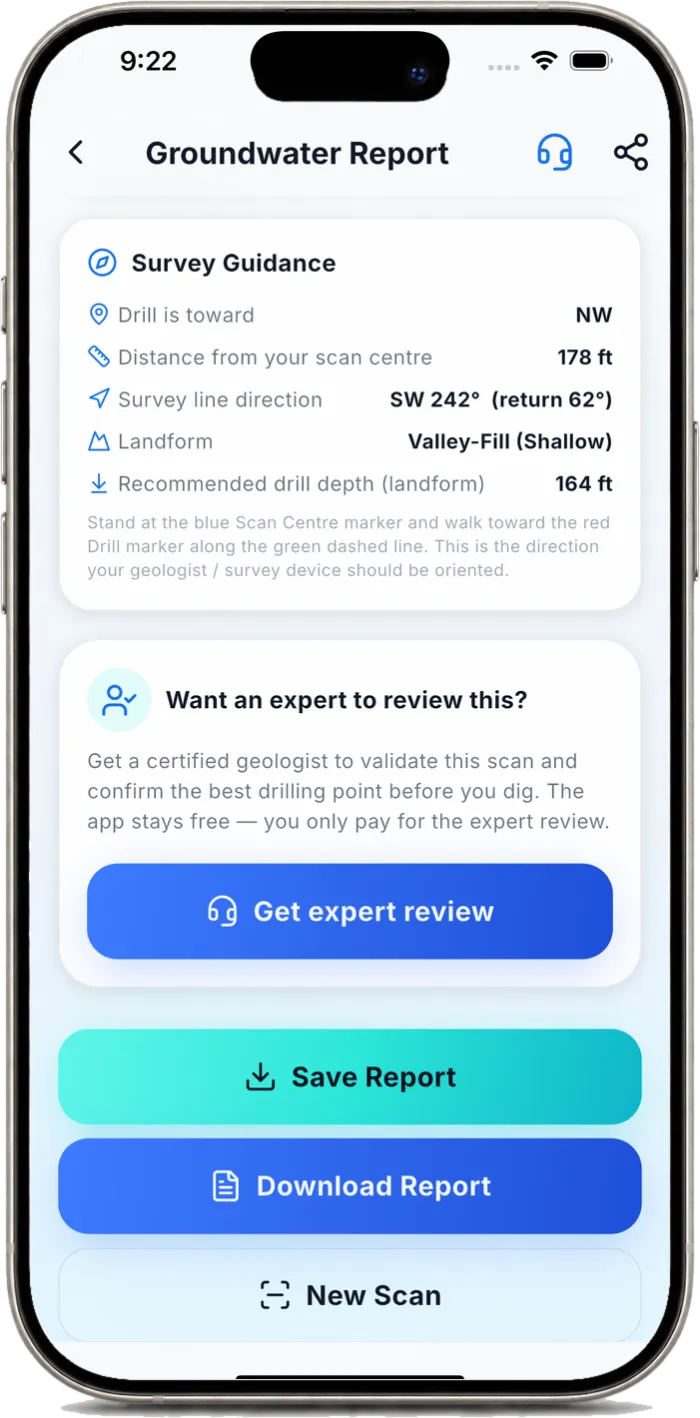
The video for this step is being recorded. Follow the written steps, or see the playlist.
Save, download and share the PDF report
Keep your report and send it to your driller on WhatsApp or email.
- Tap Save Report to keep it in My Reports.
- Tap Download Report for a PDF in your language.
- Use the share icon to send it on WhatsApp, email or any app.
Water Map: All Your Groundwater Scans
📲 Download JalDrishti free: https://jaldrishti.com/download
- Tap View Map
- Read the colours
- Your scans on the map, Tap a pin
- Open the full report
- Go back to the map
- Zoom out
- Zoom out again
- The buttons at the top, See a wider area
- Villages around you
- Hide providers
- Show providers again, Change the map style
- Back to satellite
- Back to your location
- Start a new scan, Recap
Use the bore calculator (motor, pipes, cable)
Enter your bore depth, water level and yield to get pump, pipe and cable recommendations.
- Open Tools, then Bore Calculator.
- Enter total bore depth, the depth where water was found and the yield.
- Tap Calculate to see motor HP and stages, pipes and cable.
- Share the result as a report with your pump dealer.
Find drillers, surveyors and geologists near you
Search the services directory by type and distance, then call or register your own business.
- Open the Services tab.
- Filter by service type and distance.
- Call or message a provider directly.
- Providers: tap Register to list your business free.
Browse the equipment store and send an enquiry
Compare groundwater detectors and request a quote on WhatsApp.
- Open the Store tab.
- Browse ADMT, PQWT, GER and other detectors.
- Open a product for its details and price.
- Tap Request Quote on WhatsApp to send an enquiry.
The video for this step is being recorded. Follow the written steps, or see the playlist.
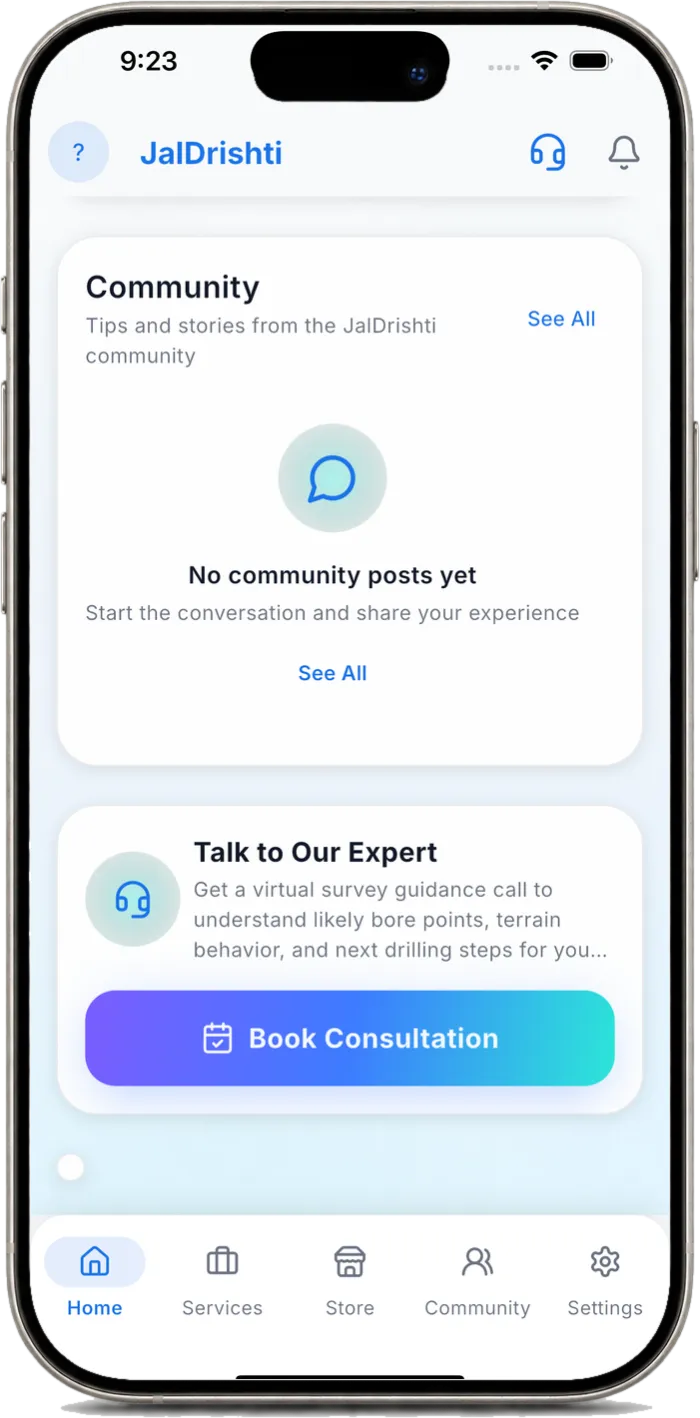
Book an expert consultation
Ask a certified geologist to review your report before you drill.
- From your report, tap Get expert review, or open Talk to Our Expert on the home screen.
- Choose a slot and pay in your local currency.
- Track the booking and chat in My Consultations.
Ask questions in the community forum
Share experiences with farmers and experts; posts can be translated into your language.
- Open the Community tab.
- Tap Create Post to ask a question or share a result.
- Use translate on any post to read it in your language.
- Like and reply to help others.
Voice guidance and changing language or units
Turn spoken guidance on or off and switch language, currency and units.
- Open Settings.
- Change Language, Currency, Units (feet or metres) and Area Unit.
- Use the headphone icon on scan and report screens for spoken guidance.
- Turn voice guidance on or off at any time.
Find Borewell Point with Radius Scan
📲 Download JalDrishti free: https://jaldrishti.com/download
- Open the Home screen, Tap Start detection
- Tap Radius
- Check the location
- Drag the slider
- See the whole circle
- Type the exact size
- Type the radius in metres
- Tap OK
- Move the centre point
- Tap Start Scan
- Your report is ready
Groundwater Report and Borewell Depth
📲 Download JalDrishti free: https://jaldrishti.com/download
- Tap My Reports
- Open a report
- Chance of finding water
- Estimated depth
- Expected water yield
- Water quality
- Rock and land details
- Rain through the year
- The recommendation
- How it was calculated
- Where to drill
- Open the big map
- Find the spot on your land
- Go back
- The exact position
- Expert review and download
Save and Download Groundwater Report PDF
📲 Download JalDrishti free: https://jaldrishti.com/download
- Tap Save Report
- The details form, Type the farmer's name
- Type the mobile number
- Type the village
- Add a note
- Close the keyboard
- Tap Save Report
- Tap Download Report
- Tap Download Now
- Tap Download Report
- Open the PDF
- Tap Share Now, Confirm and open
- Look through the PDF
- Choose Save as PDF
- Save as PDF, Tap the PDF button
- Tap Save
- Find it later in My Reports
- Search a report
- Close the keyboard, Open the report
List Your Borewell Drilling Business
📲 Download JalDrishti free: https://jaldrishti.com/download
- Start on the Home screen
- Tap Register
- Open the services list
- Choose your services
- Close the list
- Type your name
- Type your phone number
- Close the keyboard
- Years of experience
- Write about yourself
- Tap Next
- Licence number
- Organisation type
- Your equipment
- Tap plus to add it
- Tap Next
- Name your area
- Set your location
- How far do you travel?
- Tap Next
- Add photo and ID, then Submit
Book a Groundwater Expert and Chat
📲 Download JalDrishti free: https://jaldrishti.com/download
- Tap the headset
- Scans are free, Choose a consultation
- Tap Book
- Confirm payment
- Cancel
- Close the list
- Find My Consultations
- Tap My Consultations
- Status of each booking
- Tap Open chat
- Share photos or documents
- Share your location
- Type a message
- Tap Send
Survey first, drill with confidence
Try it on your own land
Install JalDrishti free and follow along with the first tutorial.